 Keystroke
Type a few letters. Get the whole thing.
Keystroke is a text expander for Windows. You type a short code and it becomes the full text, wherever you are typing: email, a browser, Word, anything.
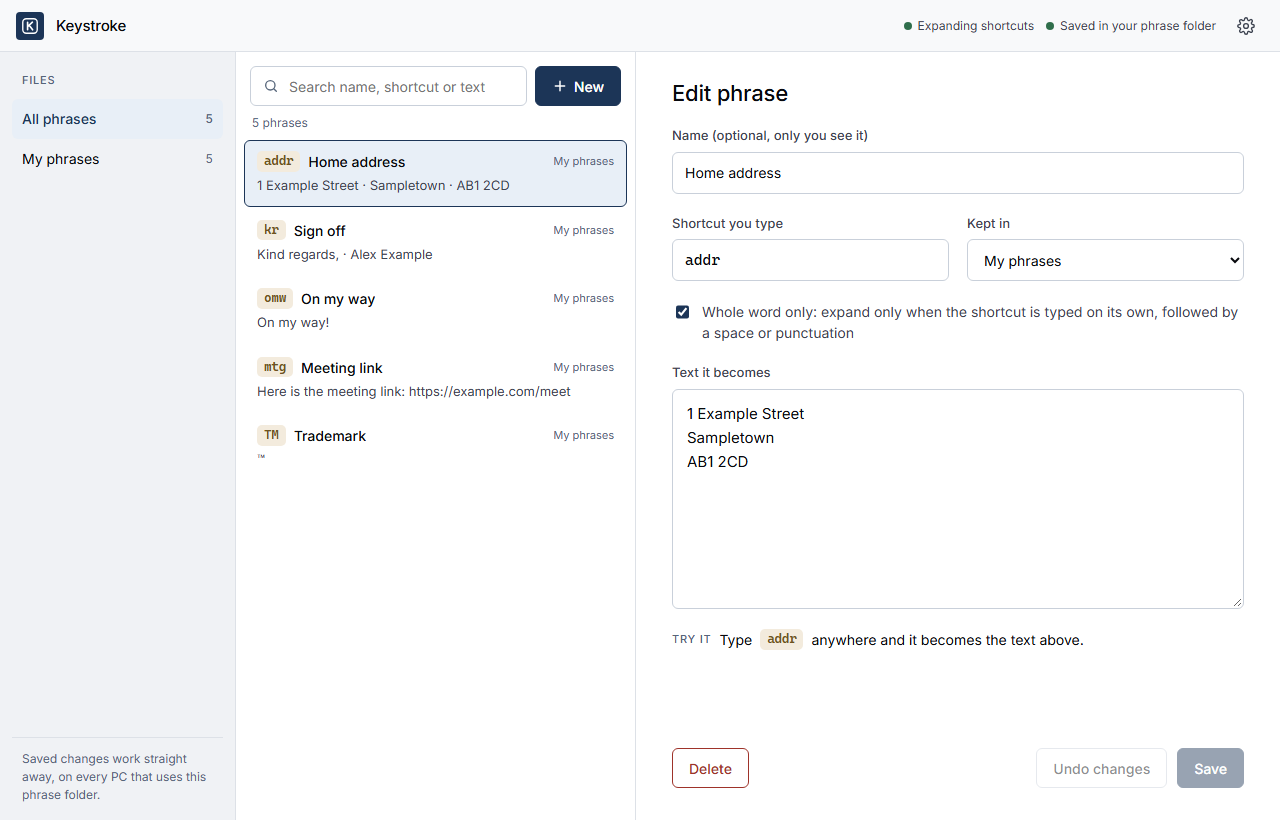
The Keystroke editor. The phrases shown are examples.
What it does
Works in every app
The text appears as you type, wherever the cursor is. There is nothing to paste and no window to switch to.
Keeps your formatting
Keystroke types the text in, so it takes on the font you are already using, and whatever you last copied stays on the clipboard.
Dates, forms and more
Today's date in any format, tomorrow's date, a pick list, a short form to fill in. The advanced page shows every one.
The same phrases on every PC
Keep your phrases in a OneDrive, Dropbox or Google Drive folder and every PC with Keystroke uses them. Add one on your desktop and your laptop has it moments later. How
Starts with Windows
Keystroke runs quietly in the system tray from the moment you log in. Its icon is the only sign it is there.
Installs and removes cleanly
No administrator rights needed. Uninstalling removes everything Keystroke added, and keeps your phrases unless you choose otherwise.
How it works
1. Install
Download and run the installer, and choose where your phrases live. Keystroke starts straight away, and again every time Windows starts.
2. Add a phrase
Click the Keystroke icon in the tray to open the editor. Give the phrase a short code and the text it should become.
3. Type the code
Type the code anywhere and Keystroke replaces it with the text. That is all there is to it.
Built on Espanso
The typing engine inside Keystroke is Espanso, an open source text expander by Federico Terzi and its contributors. Keystroke includes it unmodified, under its GNU General Public License, version 3. Espanso's source code is at github.com/espanso/espanso.
The editor, tray app and installer are Keystroke's own. When a new version of Espanso is released, Keystroke tells you, and a new Keystroke is built around it. Espanso's source code is also on the download page.